I’ve been watching AI scrape creative work for months now and it’s getting worse.
Your designs are being fed into training models without permission. Your style, your techniques, the work you spent years developing. All of it is fair game for AI companies right now.
Here’s the reality: if your graphics are online, they’re probably already in someone’s dataset.
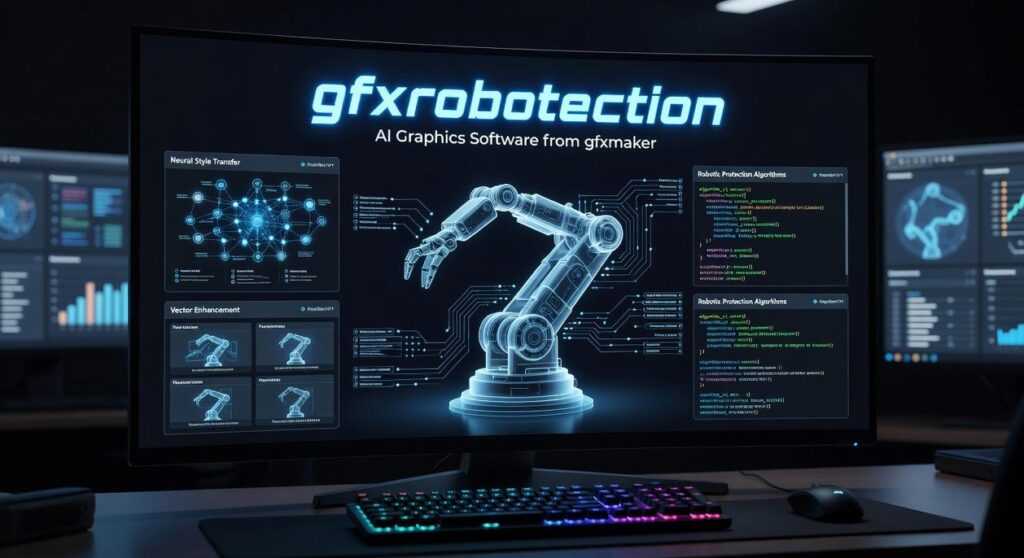
GFXRobotection AI graphics software from GFXMaker is built specifically to stop this. It’s not about hiding your work. It’s about protecting it while still sharing it with clients and your audience.
I tested this software because I needed to know if it actually works or if it’s just another tool making empty promises to worried designers.
This article breaks down what GFXRobotection AI graphics software from GFXMaker does, how the protection actually functions, and whether it fits into your current workflow without slowing you down.
You’ll learn exactly how the software shields your graphics from AI scraping and what steps you need to take to protect your portfolio starting today.
No technical jargon. Just what works and what doesn’t.
The New Threat: How AI Scrapes and Replicates Graphic Design
Picture this.
You upload your latest design to Instagram. Within hours, an AI model has already scanned it, broken down every brushstroke and color choice, and filed it away in a training dataset you’ll never see.
That’s not a future problem. It’s happening right now.
I watch designers scroll through AI-generated images and freeze when they spot something familiar. The way light hits a surface. The exact texture they spent weeks perfecting. Their style, stripped down and reassembled by an algorithm.
It feels like staring at a distorted mirror of your own work.
How AI Learns Your Style
Here’s what most people don’t realize about AI image generation. These models don’t just look at one image. They consume millions of them from portfolios, social media feeds, and design platforms (often without asking).
The software analyzes patterns. It studies how you use negative space. How you blend colors. The specific way you construct compositions.
Then it replicates it.
Some folks argue this is just how art has always worked. Artists learn from other artists, right? They say AI is doing the same thing humans do when they study technique.
But that misses the point entirely.
When a human studies your work, they develop their own interpretation over years of practice. When AI does it, it can pump out hundreds of near-identical variations in minutes. There’s no creative growth. Just extraction and reproduction.
This goes beyond simple copying. AI can now capture the intangible qualities that make your work yours. The mood. The feeling you get when you look at it. That’s what I mean by style theft.
And traditional protections? They’re not built for this.
You can slap a watermark across your image. The AI training process often strips it out or learns to work around it. Copyright notices sit in metadata that automated scrapers ignore completely.
I’ve tested this myself using gfxrobotection ai graphics software from gfxmaker. The results show just how easily conventional safeguards fail against modern scraping techniques.
The texture of your creative identity can be digitized, analyzed, and redistributed before you even know it’s gone. You can almost feel the weight of that realization when it hits.
That’s why we need something different. Something that works at the technical level where these systems operate.
Because how digital technology shapes us gfxrobotection isn’t just about convenience anymore. It’s about control over our own creative output.
What is GFXMaker? A Deep Dive into its Protection Technology
You’ve probably heard the horror stories by now.
Artists finding their work scraped into AI training datasets. Designers discovering their signature style replicated by someone who typed a few words into a prompt.
It’s not just annoying. It’s theft.
Some people say you should just accept it. They claim that once you put work online, you’ve lost control. That fighting AI is like fighting the tide. While some argue that submitting your creations to the online world means relinquishing control, the rise of tools like Gfxrobotection offers a glimmer of hope for creators seeking to safeguard their work against the relentless tide of AI exploitation.
But I don’t buy that.
Yes, AI is here to stay. But that doesn’t mean you have to hand over your creative work without a fight.
That’s where GFXMaker comes in.
What GFXMaker Actually Does
Think of it as a digital shield for your images. The software makes your work unlearnable for AI models. Not invisible to humans. Just confusing enough that AI can’t analyze and copy your style.
I know that sounds technical. Let me break it down.
Layer 1: Style Cloaking
GFXMaker adds invisible noise at the pixel level. You can’t see it. Your clients can’t see it. But AI models? They can’t make sense of it.
The software disrupts how AI reads your image’s core style and composition. It’s like putting static over a radio signal (except the human eye filters out the static automatically).
Layer 2: Embedded Tracking
Here’s where it gets interesting.
The software can embed a cryptographic signature into your image data. If someone uses your work without permission, you have a way to track and identify it.
It’s not foolproof. Nothing is. But it gives you options you didn’t have before.
What You Get with GFXMaker
The gfxrobotection ai graphics software from gfxmaker works as a plugin. You don’t need to learn new software or change your workflow.
It plugs right into Photoshop, Illustrator, and Figma.
You can adjust protection levels based on what you need. Use ‘Subtle’ for images going on your website. Crank it up to ‘Maximum’ for archival work or high-value pieces.
And if you’re protecting an entire portfolio? The batch processing feature handles whole folders at once.
Pro tip: Start with subtle protection on client-facing work. You want the defense without risking any display issues on different screens or browsers.
I recommend using GFXMaker on anything you consider signature work. Your portfolio pieces. Your most distinctive designs. The stuff that defines your style.
For generic mockups or throwaway sketches? Maybe skip it. But for work that represents you? Protect it.
Because here’s the reality. AI scraping isn’t slowing down. It’s accelerating. And waiting until your work gets stolen isn’t a strategy.
You can find more about protection strategies at gfxrobotection.
Practical Application: A Step-by-Step Guide to Using GFXMaker

I’ll be honest with you.
The first time I tried to protect my design work, I spent three hours manually watermarking 47 images. By the end, my eyes hurt and half the watermarks were crooked.
There had to be a better way. We break this down even more in How Digital Technology Shapes Us Gfxrobotection.
That’s when I found gfxrobotection ai graphics software from gfxmaker. And I’m going to walk you through exactly how I use it now.
Step 1: Getting Started
Download the software and install it. Takes about two minutes.
If you use Photoshop or Figma, the plugin activates automatically. You’ll see it in your extensions menu.
Step 2: Protecting Your First Design
Open your finished design. Click the GFXMaker plugin in your toolbar.
You’ll see two options: Standard or Aggressive protection. (I usually go with Standard for client previews and Aggressive for anything going on social media.)
Hit Apply Protection.
Done. The whole process takes maybe 10 seconds.
Step 3: Batch Processing
Here’s where it gets good.
Last month I needed to protect 200+ portfolio pieces before a site redesign. The standalone app saved me hours. In my recent experience of needing to safeguard over 200 portfolio pieces before a site redesign, I found myself asking, “What Is Digital Craft Gfxrobotection?” as the standalone app remarkably streamlined the entire process and saved me countless hours.
I dragged my entire folder into the window. Selected Aggressive protection. Clicked process.
The software handled all 200 images in under five minutes while I grabbed coffee.
Step 4: Double-Checking Your Work
Before you upload anything, use the Verification Tool. It scans your image and confirms the protective layer is there.
I check every time. Better safe than sorry.
Pro tip: Always keep your original unprotected files in a separate master folder. Only apply GFXMaker to copies you’re putting online. You never know when you’ll need to make edits to the clean version. I tackle the specifics of this in Which Technology Creates Holograms Gfxrobotection.
Who Benefits Most from GFXMaker?
Here’s what most articles won’t tell you.
Everyone talks about who should use AI protection tools. But they skip over the people who actually need them most.
I’m going to be direct about this.
If you’re creating anything visual online, you’re already at risk. The question isn’t whether AI models are scraping your work. They are. The question is what you’re going to do about it.
Let me break down who gets the most value from this protection.
1. Freelance Designers Who Live on Portfolio Sites
You post your best work on Behance and Dribbble because that’s how you get clients. But here’s the problem. Those same platforms are goldmines for AI training data.
Your style? The one you spent years developing? It can be replicated in seconds once an AI model learns from enough of your work.
Some people say this is just the cost of doing business online. That you should accept it and move on.
I disagree. Your style is your competitive advantage. Protecting it isn’t paranoia (it’s smart business).
2. Creative Agencies Handling Sensitive Client Work
This is where things get serious.
You’re not just protecting your own work anymore. You’re protecting client assets that could be worth millions. One leak of a pre-launch campaign design could tank an entire product release.
Corporate espionage isn’t some spy movie plot. It happens through data scraping every single day.
3. NFT Artists Who Need More Than Blockchain
I know what you’re thinking. Isn’t the blockchain supposed to protect my work?
Yes and no. The blockchain proves ownership and tracks transactions. But it doesn’t stop someone from copying your actual image file and training an AI on it before you even mint.
That’s where gfxrobotection ai graphics software from gfxmaker comes in. You add technical protection before the work goes public. Think of it as what is digital craft gfxrobotection in action.
4. Photographers Protecting Their Technical Edge
Your composition matters. So does your lighting setup and post-processing workflow.
When AI models scrape thousands of your photos, they’re not just copying images. They’re learning your techniques. The same techniques that took you years to perfect.
High-resolution files make this even easier for them.
The reality? You can’t stop posting your work online. That’s not practical. But you can make it significantly harder for AI models to learn from it. To safeguard your creative work from unwanted AI exploitation, implementing strategies like Gfxrobotection can make it significantly harder for these models to learn from your online presence.
That’s the difference between being reactive and being prepared.
Take Control of Your Digital IP
You came here because AI is scraping your work.
I get it. You spend hours creating graphics and someone’s bot copies them in seconds. It’s not just frustrating. It’s theft.
You now understand the threat and you know there’s a technical way to fight back.
Leaving your digital graphics unprotected isn’t an option anymore. The bots are getting faster and smarter.
gfxrobotection ai graphics software from gfxmaker gives you the tools to defend what’s yours. You can protect your intellectual property before it gets stolen. That’s control.
Here’s what you need to do: Look at your current workflow and see where GFXMaker fits. Start protecting the assets you’ve already built. The ones you spent late nights perfecting.
You can move from defense to offense right now.
Your creative work has value. Protect it like it matters (because it does).
Stop waiting for someone else to solve this problem. Take action today.

 Lorissa Ollvain writes the kind of practical tech applications content that people actually send to each other. Not because it's flashy or controversial, but because it's the sort of thing where you read it and immediately think of three people who need to see it. Lorissa has a talent for identifying the questions that a lot of people have but haven't quite figured out how to articulate yet — and then answering them properly.
They covers a lot of ground: Practical Tech Applications, Software Development Trends, Robotics and Automation Insights, and plenty of adjacent territory that doesn't always get treated with the same seriousness. The consistency across all of it is a certain kind of respect for the reader. Lorissa doesn't assume people are stupid, and they doesn't assume they know everything either. They writes for someone who is genuinely trying to figure something out — because that's usually who's actually reading. That assumption shapes everything from how they structures an explanation to how much background they includes before getting to the point.
Beyond the practical stuff, there's something in Lorissa's writing that reflects a real investment in the subject — not performed enthusiasm, but the kind of sustained interest that produces insight over time. They has been paying attention to practical tech applications long enough that they notices things a more casual observer would miss. That depth shows up in the work in ways that are hard to fake.
Lorissa Ollvain writes the kind of practical tech applications content that people actually send to each other. Not because it's flashy or controversial, but because it's the sort of thing where you read it and immediately think of three people who need to see it. Lorissa has a talent for identifying the questions that a lot of people have but haven't quite figured out how to articulate yet — and then answering them properly.
They covers a lot of ground: Practical Tech Applications, Software Development Trends, Robotics and Automation Insights, and plenty of adjacent territory that doesn't always get treated with the same seriousness. The consistency across all of it is a certain kind of respect for the reader. Lorissa doesn't assume people are stupid, and they doesn't assume they know everything either. They writes for someone who is genuinely trying to figure something out — because that's usually who's actually reading. That assumption shapes everything from how they structures an explanation to how much background they includes before getting to the point.
Beyond the practical stuff, there's something in Lorissa's writing that reflects a real investment in the subject — not performed enthusiasm, but the kind of sustained interest that produces insight over time. They has been paying attention to practical tech applications long enough that they notices things a more casual observer would miss. That depth shows up in the work in ways that are hard to fake.